本文最后更新于 1 年前,文中所描述的信息可能已发生改变。
背景
在 macOS 中使用 homebrew 安装 mongoDB 很方便,brew install mongodb-community 即可快速安装好 mongoDB 并使用,但是默认安装的版本是 stand alone 的,在使用事务相关特性时会出现错误:
bash
MongoServerError: Transaction numbers are only allowed on a replica set member or mongos...需要将本地部署的 mongoDB 改为 replica,集群模式才能正常使用事务。
步骤
1. 停止本地的 mongoDB 服务
bash
brew services stop mongodb-community2. 修改 brew 安装的 mongoDB 配置文件
bash
sudo vim /opt/homebrew/etc/mongod.confconf
systemLog:
  destination: file
  path: /opt/homebrew/var/log/mongodb/mongo.log
  logAppend: true
storage:
  dbPath: /opt/homebrew/var/mongodb
net:
  bindIp: localhost  # this line
  ipv6: true
replication:
  replSetName: "rs0" # and this line
保存并退出
3. 重新启动 mongoDB 服务
bash
brew services start mongodb-community4. 验证结果
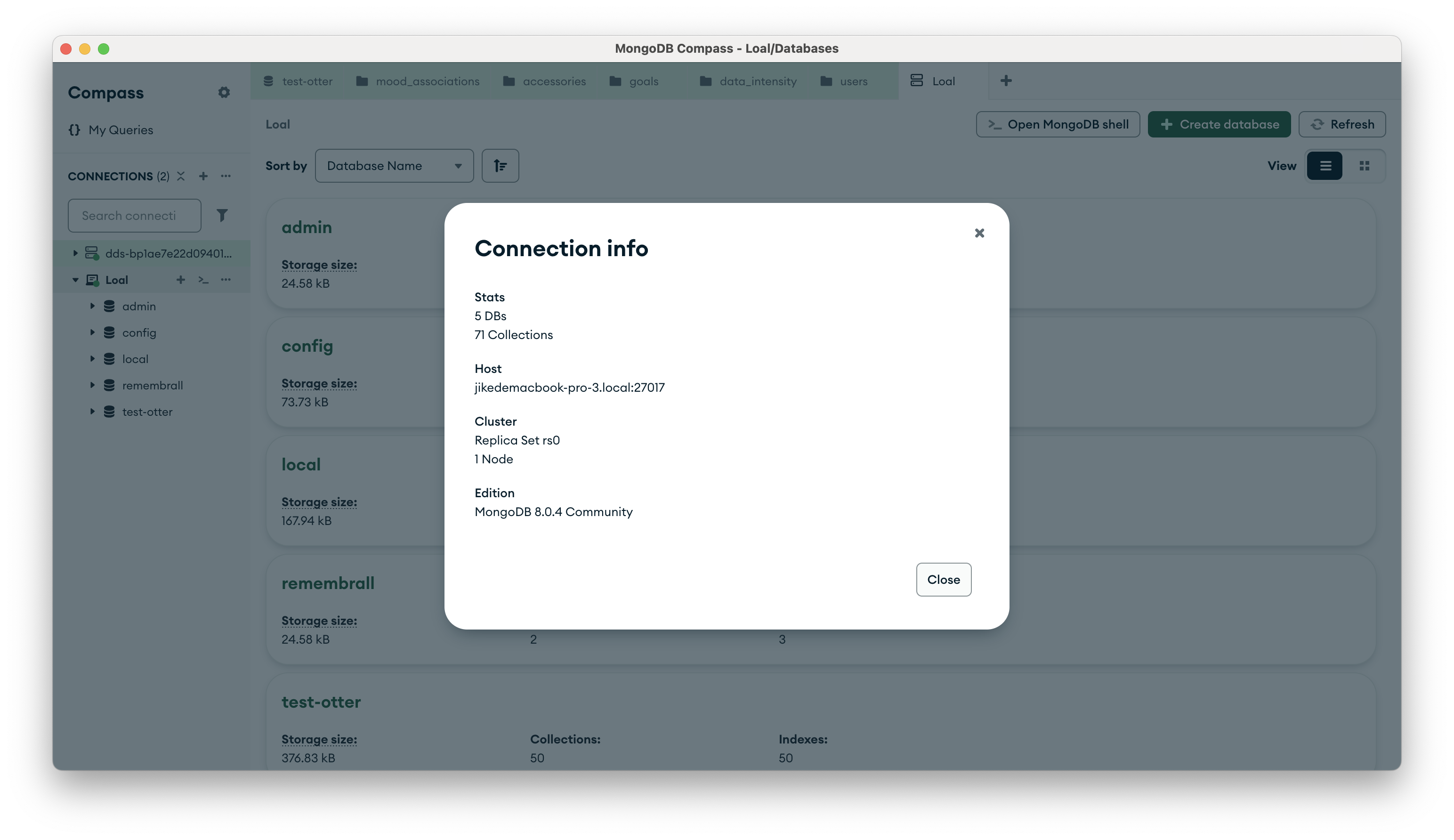
在官方 APP中就可以清晰看到我们部署的服务已经变成了 replica 的模式:
5. 代码实现
写一点简单的 TypeScript 来验证结果:
typescript
  ...
  try {
    await withTransaction(async (session) => {
      // 删除正向关系
      await FriendshipModel.deleteOne({
        userId,
        friendId,
      }).session(session)
      // 删除反向关系
      await FriendshipModel.deleteOne({
        userId: friendId,
        friendId: userId,
      }).session(session)
    })
  } catch (error) {
    console.log(error)
    throw new Error('删除好友关系失败')
  }
  ...